 The machines
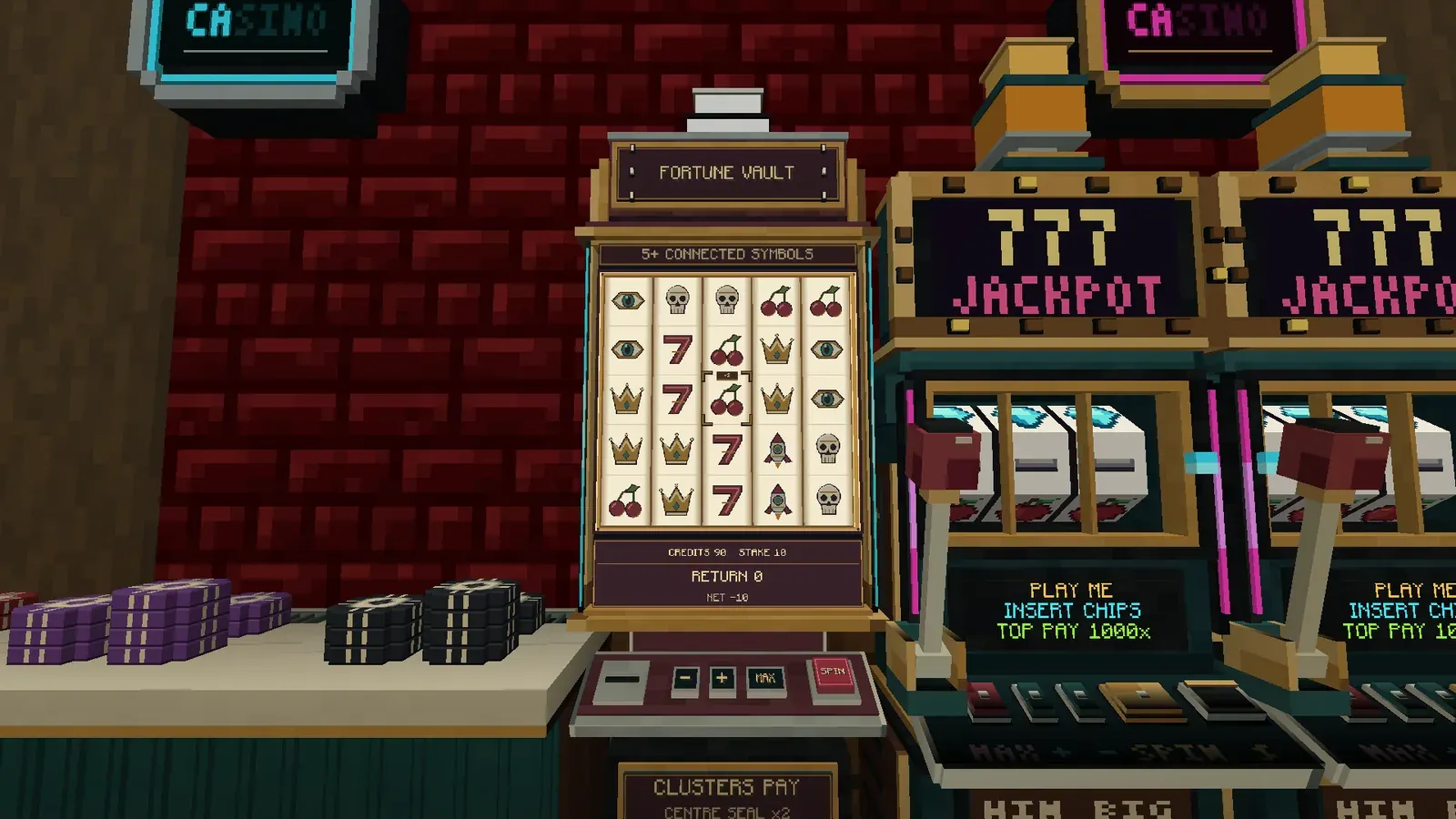
The Fortune Vault is a burgundy and brass cabinet with five reels and five rows, so twenty-five symbols on show at once. Instead of a payline, it pays for groups of matching symbols that touch. Every spin can hold several wins at once, and a win through the centre square pays more.
Getting one
Section titled “Getting one”Craft it from red dye, a glass pane, iron ingots, gold ingots, a chest and a Reel Spinner, a part you make first. See Recipes. It’s one block wide and three tall.


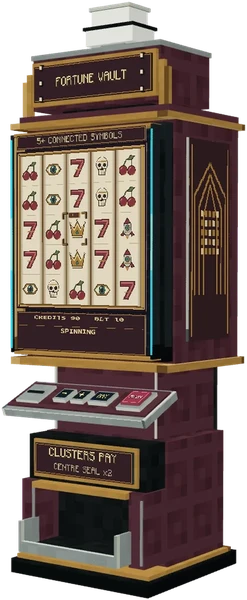
| The cabinet | |
|---|---|
| Room | It needs the two blocks above its spot clear. |
| Light | Gives off light level 6 |
| Hardness | 3. A pickaxe is quickest, and anything breaks it. It drops itself. |
| Owner | Whoever places it. One placed by a dispenser or a command has no owner, and anyone with a Pit Boss Key can run it. |
| Seat | A Casino Chair in front stretches your reach to the whole cabinet. The owner can instead switch on the machine’s own stool, 1.45 blocks out, with the  Pit Boss Key. |
| Turning it | The  Croupier’s Wrench turns one you own a quarter turn, but not while a spin is being shown. |
How to play
Section titled “How to play”The console sits at the front, with the chip slot on the left, the minus, plus and MAX keys in the middle and the rose SPIN button on the right.
- The chip slot. Right-Click with
 chips in hand puts one chip in, and Shift + Right-Click puts in the whole stack. Your chips become credits on this machine.
- The stake. Right-Click on minus and plus steps through the stakes, and Right-Click on MAX picks the biggest.
- Spinning. Right-Click on SPIN, or on the glass over the reels, spins. The stake comes out of your credits.
- The groups. Once the reels stop, every winning group lights up at once, the readout says how many, and the win is added to your credits.
- The tray. Right-Click on the tray pays your credits back as chips.
- Chips into the chip slot
- Set your stake
- Spin
- Groups light up
- The seal, if a group crosses it
- Paid to your credits
Where you aim decides what happens.
| You hold | Where | Right-Click | Shift + Right-Click |
|---|---|---|---|
| Chips |
The chip slot | Puts in one chip | Puts in the whole stack |
| Chips |
Anywhere else | Swaps small chips for bigger ones | |
| An empty hand | SPIN or the glass | Spins | Spins |
| An empty hand | Minus, plus or MAX | Steps the stake | Spins |
| An empty hand | The tray | Pays your credits out as chips | Spins |
| An empty hand | Anywhere else | Spins | |
| The Pit Boss Key |
Anywhere | Opens the owner’s settings |
- Look at the machine with Shift held and a card at the side of your screen shows what each size of group pays for each five staked, the seal’s rule and the stakes. It doesn’t change with the stake you’ve picked.
- A spin is checked in this order, and the first check that fails is the message you see:
- The last spin finished showing
- Machine open
- A card this cabinet can show
- A stake on the card
- You have the credits
- Spin
The parts
Section titled “The parts”Turn the machine, zoom in, play what it does, and click a part to see what it’s for.
- SPIN
- Right-Click spins at your stake. So does a Right-Click on the glass, or Shift + Right-Click with an empty hand anywhere on the cabinet.
- MAX
- Right-Click picks the biggest stake the cabinet takes.
- Plus
- Right-Click steps your stake up.
- Minus
- Right-Click steps your stake down.
- Chip slot
- Right-Click with chips in hand puts one chip in, and Shift + Right-Click the whole stack. Your chips become credits on this machine.
- Grid
- Five columns of five. Symbols that share an edge join into a group, and a group of five or more pays.
- Centre seal
- The middle square. A paying group through it makes the whole spin pay more, the same however many groups cross it.
- Readout
- Says what the spin is doing: spinning, checking, how many groups won, the seal, then what was paid.
- Tray
- Right-Click pays every credit you have on the machine back as chips, once the last spin has been shown.
How a win works
Section titled “How a win works”There are six symbols: cherries, sevens, eyes, crowns, skulls and rockets. Symbols join into a group when they share an edge, up, down, left or right. Corners don’t count. A group of five or more pays, and the bigger the group, the more it pays.
- Separate groups on the same spin all pay, and they add up.
- The square in the middle of the board is the centre seal. If a paying group runs through it, the whole spin pays more, and it’s the same however many groups cross it.
- The centre square is an ordinary symbol. It isn’t a wild, and it can’t rescue a group that’s too small.
Credits and the spin
Section titled “Credits and the spin”- The spin is settled the moment you press. Your credits are counted before the reels move, and the readout shows the win only once the last column lands.
- The tray waits while your spin is still being shown: “The last spin is still being shown.”
- Credits belong to you, on this machine, and stay through logging out and restarts until you cash out.
- They come home on their own if the cabinet is broken, if redstone closes it, if the house goes under maintenance, or if the server turns it off. If you’re online they come back as chips, and if you’re offline they’re held for your next login. An owner closing the machine doesn’t send them home.
Timing
Section titled “Timing”- The five columns stop 3 ticks apart, after three whole turns each.
- The groups pulse every 2.6 ticks while they’re lit, and the seal blinks the same way before it stays lit for the win.
Redstone
Section titled “Redstone”A comparator against any block of the cabinet reads it:
 150
- The Pit Boss Key’s redstone control can open the machine always, only with a signal, only without one, or for one spin per new signal.
For owners
Section titled “For owners”- The owner, their co-owners and operators run the machine with the Pit Boss Key: the stool, open and close, redstone control and the owners list. There are no bet limits to set: the card’s stakes are the limits.
- The Fortune Vault can’t join a progressive jackpot, which is for slot and video poker cabinets only, and hoppers can’t feed it.
Breaking it
Section titled “Breaking it”| What breaks it | What happens |
|---|---|
 Any player, by default |
The machine drops, and every player’s credits go home. A spin being shown has already paid. |
 A player who isn’t an owner, with protection.sealedTables on |
Refused with “This belongs to somebody else.” |
 An explosion, with protection.sealedTables on |
The cabinet survives if it has an owner. |
- A laptop can stand on top of the cabinet.
For servers
Section titled “For servers”- The card is a datapack file,
data/highrollers/fortune_vault/standard.json: what each size of group pays, the smallest group, the seal and the stakes. Every cabinet plays the card namedstandard, so a datapack changes the Fortune Vault by replacing it. A card that isn’t five reels of five with these six symbols is refused at the spin. See Odds and datapacks. games.disabledwithfortune_vaultturns every cabinet off./highrollers odds fortune_vaultshows the card in game. See Configuration.